
When a Small Business Owner’s Computer Finally Died

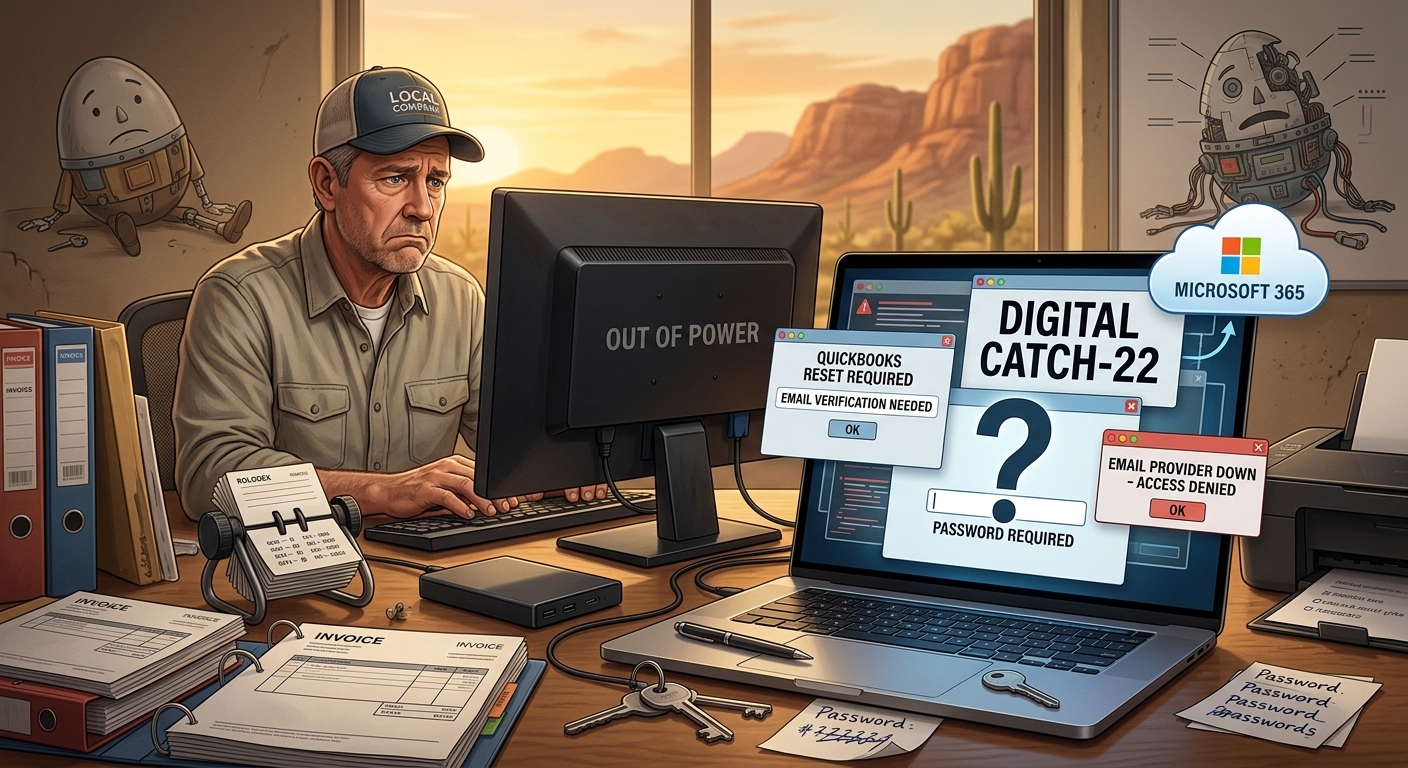
Small business owner recovering from a computer failure while restoring passwords, email access, backups, and Microsoft 365 services after a desktop computer crash.

One of my longtime customers owns a small business. About eight years ago, I helped him purchase and set up a desktop computer. At the same time, I configured an external backup drive so his business files would have some protection if the computer ever failed.

For years, everything worked.

I rarely heard from him.

The computer continued running Windows 10 long after it began showing its age. The system gradually became slower, but it still performed the two tasks his business depended on most: QuickBooks and Outlook.

Like many small business owners, he had more important things to worry about than technology.

Until technology decided it was time to get his attention.

The Warning Nobody Wants to Hear

Two years earlier, we had a conversation about the computer.

I explained that it was getting old and needed to be replaced.

I told him there were really only two choices.

He could spend money on new equipment now.

Or he could spend more money on emergency repairs, recovery work, downtime, and new equipment after the computer failed.

Most aging computers eventually collect their debt.

The only question is when.

The Hidden Problem Nobody Saw Coming

Years earlier, when Cox Business exited the email hosting business, his email was migrated to another provider.

Everything seemed fine.

Until we needed support.

The provider had virtually no meaningful customer service.

There was nobody to call.

Nobody to email.

No knowledgeable technician to escalate an issue to.

Just an inexpensive AI-driven support system that couldn’t answer questions or solve real-world account problems.

That wasn’t a problem until the customer needed access to an account.

Then it became a major problem.

No Power. No Lights. No Business.

One day, the computer finally gave up.

No power.

No lights.

Nobody home.

Without that computer, his business was effectively down.

Fortunately, he immediately went to Costco and purchased a replacement desktop computer.

A few hours later, I arrived to begin setting it up.

That’s when we discovered the real disaster.

The customer didn’t know his passwords.

The Computer Wasn’t the Biggest Problem

People often assume that recovering from a computer failure is about restoring files.

In reality, restoring the files is usually the easy part.

The difficult part is regaining access to everything else.

The customer didn’t know many of the passwords needed to access his accounts.

To make matters worse, many password recovery methods relied on email accounts hosted with the provider he could no longer access.

It became a digital Catch-22.

To reset one account, we needed access to another account.

To access that account, we needed a password that nobody knew.

What was supposed to be a routine computer replacement quickly turned into a digital detective investigation.

Putting Humpty Dumpty Back Together Again

Over the next two days and roughly eight hours of labor, we slowly rebuilt his digital life. As I told the customer’s bookkeeper during the recovery process, we were trying to put Humpty Dumpty back together again. The challenge wasn’t restoring files. The challenge was figuring out how all the pieces fit together.

We:

  • Recovered access to critical accounts.
  • Moved the domain name back to GoDaddy.
  • Migrated email to Microsoft 365.
  • Installed Microsoft Office.
  • Configured OneDrive for Business.
  • Reinstalled software.
  • Reconnected printers.
  • Restored files from backup.

Unfortunately, not everything survived.

Years of historical email were lost during the process.

The backups saved the files.

They did not save everything.

This Could Have Been Much Worse

This customer was fortunate.

We had backups.

We were able to recover the files.

We were able to restore operations.

Within a couple of days, the business was running again.

Many business owners are not that lucky.

I’ve met businesses with:

  • No backups.
  • No password records.
  • No documentation.
  • No technology plan.
  • No local technology consultant.

When their computer fails, there is often no recovery path available.

The Wild Wild West

Many people drive around without a spare tire in their vehicle.

Many business owners operate exactly the same way.

Everything seems fine until something breaks.

Then they discover they were one hardware failure away from disaster.

The worst time to call a technology consultant is after a catastrophic failure.

It’s much less expensive to identify problems before they become emergencies.

An occasional technology review can uncover:

  • Aging hardware.
  • Missing backups.
  • Unsupported software.
  • Password problems.
  • Security risks.
  • Business continuity issues.

You don’t want the first thing a consultant tells you to be:

“I’m sorry. Your files aren’t recoverable.”

For some businesses, that isn’t merely an inconvenience.

It can mean closing the doors permanently.

Do You Feel Lucky?

In the 1971 film Dirty Harry, Clint Eastwood’s character delivered one of the most famous lines in movie history:

“You’ve gotta ask yourself a question: Do I feel lucky?”

Many business owners unknowingly ask themselves the same question every day.

They rely on aging computers.

They don’t know their passwords.

They have no documented recovery plan.

They haven’t tested their backups.

Everything works right up until the moment it doesn’t.

The question is:

Do you feel lucky?


About Duke

Duke Nguyen is a technology consultant serving Phoenix, Arizona. Duke helps homeowners, retirees, churches, and small business owners make informed technology decisions involving computers, cybersecurity, cloud services, Microsoft 365, backups, and business continuity. Through Win Information Technology, Duke provides practical guidance based on real-world customer experiences and over 16 years of professional field IT experience.
When a Small Business Owner’s Phone Died: A Real-World Technology Consultation

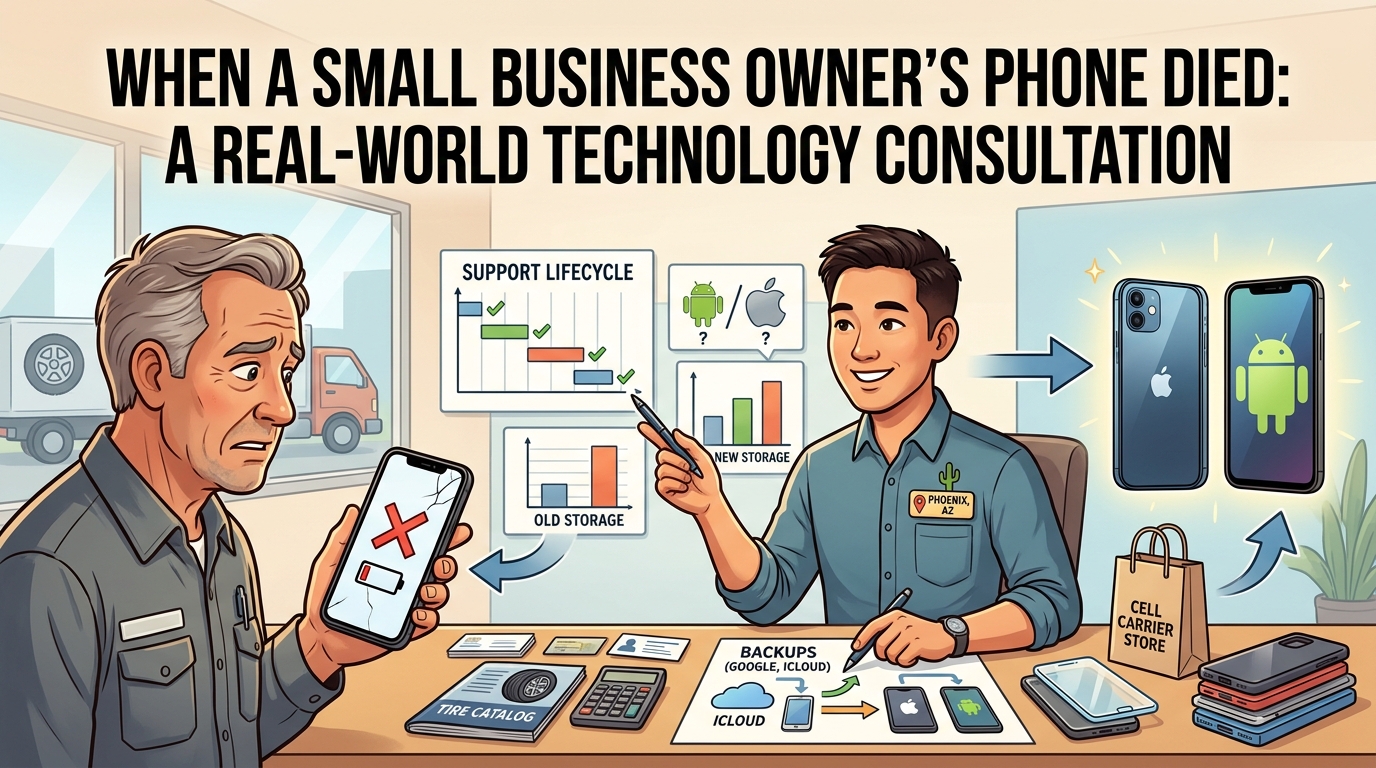
Illustration of a technology consultant helping a small business owner replace a failed smartphone and migrate data to a new device.

One of my longtime clients owns a commercial tire shop. His Android smartphone had been intermittently failing to charge for several months. Eventually, the phone refused to power on altogether.

To be fair, my client got every bit of value out of that device. Technology experiences wear and tear, and this smartphone finally decided it was done. Like a good steak, it was cooked.

The customer called me urgently.

“Duke, will you help us?”

The husband and wife asked me to accompany them to the Verizon store first thing the next morning. We arrived early and had breakfast at the local Chick-fil-A in the same shopping center while waiting for the store to open.

When Verizon opened its doors, we walked in and began the process of selecting replacement phones.

The husband had used Samsung Android phones for years. He asked me whether he should stay with Android or switch to an iPhone.

I explained that staying with Android would allow him to continue using a familiar operating system without having to learn a new interface. However, if he switched to an iPhone, his wife and daughter already used Apple products and could help him whenever he got stuck.

I also explained that there would be a learning curve.

“Apple products are designed for people who just want the device to work. They typically have fewer customization options than Android, but many people appreciate their simplicity.”

One thing I told the husband made him laugh.

“You’ll probably call me less after you switch to the iPhone.”

There was some truth behind the joke. In my experience, Apple tightly controls both the hardware and software, which often results in a simpler, more predictable experience for many users. Android devices generally offer greater flexibility and customization, but that flexibility can sometimes introduce additional complexity.

Neither platform is right or wrong. It depends on the user.

In this case, the customer’s Android phone had already died, creating stress and disrupting business operations. He relied on that phone to communicate with customers, suppliers, and employees. The inconvenience and lost productivity had already reached what I call the angst factor.

The angst factor occurs when the cost of frustration exceeds the cost of the solution.

At that point, the conversation is no longer about saving money. It becomes about restoring productivity and reducing stress.

Next, we discussed whether he should purchase Apple’s newest model or save money by purchasing the previous year’s model.

I explained that every technology product has a support lifecycle attached to it. Manufacturers release operating system updates, security patches, and feature updates for a limited number of years. When a customer buys a device, they enter somewhere within that support lifecycle.

The newer the device, the longer the remaining support window. The tradeoff is that newer devices usually cost more.

The older the device, the lower the cost. However, part of the support lifecycle has already been consumed.

The husband wasn’t the only person upgrading that morning. His wife was still using an older iPhone that did not support 5G and was operating on 4G LTE. She was also running out of storage because she takes a tremendous number of photos and frequently downloads music to her phone.

When recommending smartphones, I generally suggest purchasing at least twice the amount of storage currently being used. Most people don’t take fewer photos, install fewer apps, or save less data over time. Their storage needs tend to grow.

Buying additional storage upfront is usually much less expensive and much less frustrating than running out of space a year or two later and being forced to upgrade sooner than expected.

Planning for tomorrow is just as important as meeting today’s requirements.

As we reviewed their options, it became clear that both devices had reached the point where replacement made sense.

After evaluating promotions, trade-in offers, storage options, and pricing, the customers determined that last year’s iPhone model provided the best value. They saved a considerable amount of money while still receiving many years of software updates, security support, and modern hardware features.

The day before our Verizon visit, I helped the customer contact his current mobile carrier to obtain the account number and port-out PIN required to transfer his number. We arrived at the Verizon store with everything ready to go.

Cell phone sales representatives love it when I walk in with my clients.

The decisions have already been discussed. The necessary information is available. The questions have already been answered. The process becomes faster and easier for both the customer and the salesperson.

The Verizon representative asked whether they wanted accessories such as a case and screen protector. Although they could have purchased those items elsewhere for less money, they chose convenience.

They wanted to get their phones operational, get back to work, and return customer calls.

The customers paid me for my time and consultation.

Because their information had already been backed up through Google and iCloud, the transition was smooth. Their contacts, calendars, email, photos, and other important information were restored to the new devices without issue.

This experience highlights an important lesson for small business owners.

When a critical piece of technology fails, even something as common as a smartphone can disrupt operations. Every hour without communication represents potential lost customers, missed opportunities, and lost revenue.

The real cost is rarely the device itself.

The real cost is the interruption.

Having an experienced, trusted technology consultant available to help guide a stressful situation reduces confusion, eliminates unnecessary delays, and helps businesses make practical decisions under pressure.

Technology failures are stressful enough.

You don’t need to navigate them alone.


About Duke Nguyen

Duke Nguyen is a technology consultant serving Phoenix, Arizona. Duke helps homeowners, retirees, churches, and small business owners make informed technology decisions involving computers, smartphones, cybersecurity, cloud services, backups, websites, Microsoft 365, Google Workspace, and networking.

With an education-first approach, Duke believes technology should simplify life and business, not complicate it. Whether helping a customer recover from a cybersecurity incident, select the right computer, replace a failed smartphone, or migrate data to a new device, Duke focuses on practical solutions that provide long-term value.

Many of Duke’s articles are inspired by real customer experiences and real-world technology challenges. His goal is to help others avoid costly mistakes and make better technology decisions before problems occur.

Need help with computers, smartphones, cybersecurity, cloud services, websites, backups, or small business technology? Contact Duke Nguyen to schedule a consultation.

Why Choosing the Right Computer Is More Than Picking a Brand

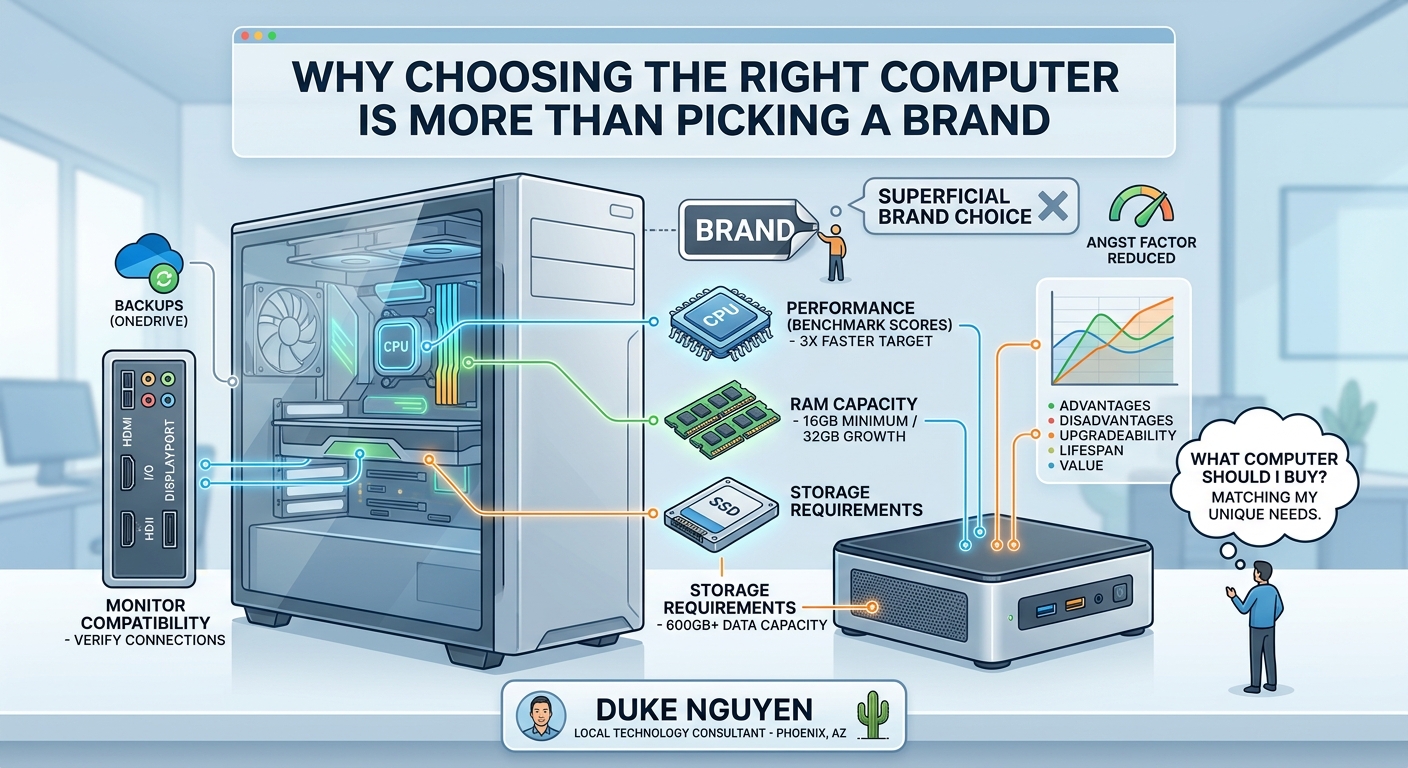
Technology consultant comparing an old desktop computer with a modern replacement to help a customer choose the right computer.

This morning, I received a call from a small business owner in my neighborhood. He found me on Nextdoor. He had two older desktop computers. One had crashed completely, and the other was painfully slow. You would press a key, wait… wait… wait… and eventually the computer would respond. I came over a little more than an hour later for a free one-hour consultation.

We evaluated whether it made sense to repair the existing computers or purchase a new one. We compared options from Dell Outlet, HP Outlet, Best Buy, and Amazon. When evaluating a computer, I focus on several key factors, including CPU benchmark scores, RAM capacity, storage requirements, monitor compatibility, and network connectivity.

First, we examined the performance of the current computer and compared it to what is available on the market today. As a general rule, I like to see the replacement system provide at least three times the processing performance of the existing machine. As of this writing, 16 GB of RAM is the minimum I recommend for most users, while 32 GB provides additional room for multitasking and future growth.

Next, we reviewed how much storage was actually being used. In this case, the customer was utilizing approximately 600 GB of data. Rather than forcing the customer to spend hours deleting files on an aging computer, we selected a storage size that would accommodate current needs while providing room for future growth.

We also verified whether the existing monitor could be reused and what display connections were currently in use. Monitor compatibility is often overlooked, but verifying HDMI, DisplayPort, or other connections ahead of time can prevent surprises when the new computer arrives.

One question I hear frequently is:

“What computer should I buy?”

The answer is more complicated than simply recommending Brand A or Brand B.

Every customer has different needs, goals, budgets, and usage patterns. During this consultation, we discussed full-size desktop towers, mini PCs, refurbished systems, and new systems. We compared their advantages, disadvantages, upgradeability, expected lifespan, and overall value.

As a local technology consultant, I also ensure backups are in place before any migration begins. Before leaving, I verified that OneDrive was backing up all available folders so that once the new computer arrives, the migration process can proceed smoothly.

I often tell customers about what I call the “angst factor.”

When your frustration level exceeds the cost of the technology needed to solve the problem, it’s time to invest in a better solution.

Technology should reduce frustration, not create it.

That is why having a competent, caring, and trusted local technology consultant matters. A good consultant helps you avoid overspending, avoid buying the wrong equipment, and select technology that meets your needs today while remaining useful for years to come.

About Duke Nguyen

Duke Nguyen is a local technology consultant serving Phoenix, Arizona. Duke helps homeowners, retirees, and small business owners make informed technology decisions, whether that means repairing an existing computer, purchasing the right replacement, configuring backups, improving network performance, or planning for future technology needs.

With a practical, education-first approach, Duke believes technology should reduce frustration, not create it. Rather than focusing on brands or sales quotas, he helps clients understand their options so they can make confident decisions that fit their needs and budget.

When he’s not helping clients with technology, Duke can often be found walking neighborhoods, meeting local business owners, documenting businesses in his community CRM, and building relationships throughout the area.

Need help with computers, networking, cloud services, backups, or small business technology?

Contact Duke Nguyen to schedule a consultation.