
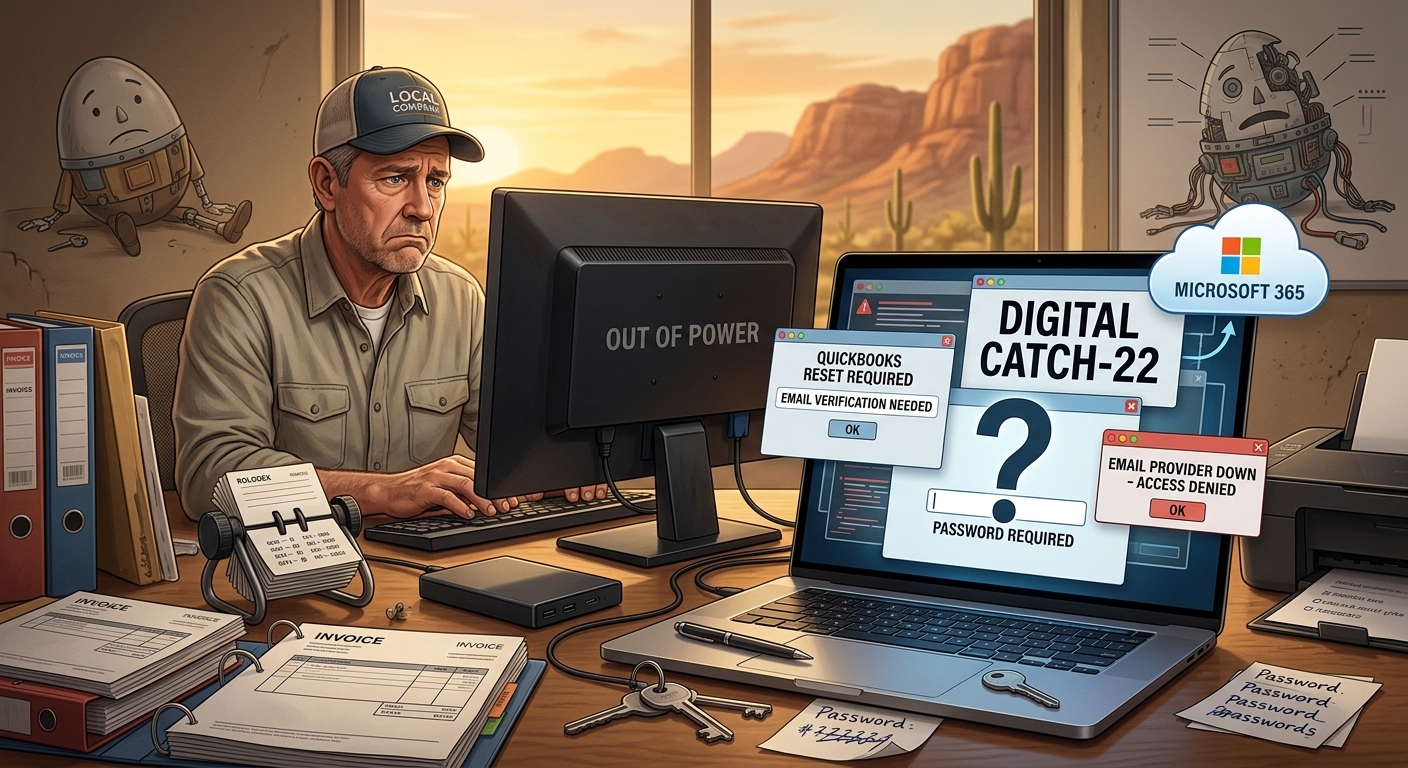
One of my longtime customers owns a small business. About eight years ago, I helped him purchase and set up a desktop computer. At the same time, I configured an external backup drive so his business files would have some protection if the computer ever failed.
For years, everything worked.
I rarely heard from him.
The computer continued running Windows 10 long after it began showing its age. The system gradually became slower, but it still performed the two tasks his business depended on most: QuickBooks and Outlook.
Like many small business owners, he had more important things to worry about than technology.
Until technology decided it was time to get his attention.
The Warning Nobody Wants to Hear
Two years earlier, we had a conversation about the computer.
I explained that it was getting old and needed to be replaced.
I told him there were really only two choices.
He could spend money on new equipment now.
Or he could spend more money on emergency repairs, recovery work, downtime, and new equipment after the computer failed.
Most aging computers eventually collect their debt.
The only question is when.
The Hidden Problem Nobody Saw Coming
Years earlier, when Cox Business exited the email hosting business, his email was migrated to another provider.
Everything seemed fine.
Until we needed support.
The provider had virtually no meaningful customer service.
There was nobody to call.
Nobody to email.
No knowledgeable technician to escalate an issue to.
Just an inexpensive AI-driven support system that couldn’t answer questions or solve real-world account problems.
That wasn’t a problem until the customer needed access to an account.
Then it became a major problem.
No Power. No Lights. No Business.
One day, the computer finally gave up.
No power.
No lights.
Nobody home.
Without that computer, his business was effectively down.
Fortunately, he immediately went to Costco and purchased a replacement desktop computer.
A few hours later, I arrived to begin setting it up.
That’s when we discovered the real disaster.
The customer didn’t know his passwords.
The Computer Wasn’t the Biggest Problem
People often assume that recovering from a computer failure is about restoring files.
In reality, restoring the files is usually the easy part.
The difficult part is regaining access to everything else.
The customer didn’t know many of the passwords needed to access his accounts.
To make matters worse, many password recovery methods relied on email accounts hosted with the provider he could no longer access.
It became a digital Catch-22.
To reset one account, we needed access to another account.
To access that account, we needed a password that nobody knew.
What was supposed to be a routine computer replacement quickly turned into a digital detective investigation.
Putting Humpty Dumpty Back Together Again
Over the next two days and roughly eight hours of labor, we slowly rebuilt his digital life. As I told the customer’s bookkeeper during the recovery process, we were trying to put Humpty Dumpty back together again. The challenge wasn’t restoring files. The challenge was figuring out how all the pieces fit together.
We:
- Recovered access to critical accounts.
- Moved the domain name back to GoDaddy.
- Migrated email to Microsoft 365.
- Installed Microsoft Office.
- Configured OneDrive for Business.
- Reinstalled software.
- Reconnected printers.
- Restored files from backup.
Unfortunately, not everything survived.
Years of historical email were lost during the process.
The backups saved the files.
They did not save everything.
This Could Have Been Much Worse
This customer was fortunate.
We had backups.
We were able to recover the files.
We were able to restore operations.
Within a couple of days, the business was running again.
Many business owners are not that lucky.
I’ve met businesses with:
- No backups.
- No password records.
- No documentation.
- No technology plan.
- No local technology consultant.
When their computer fails, there is often no recovery path available.
The Wild Wild West
Many people drive around without a spare tire in their vehicle.
Many business owners operate exactly the same way.
Everything seems fine until something breaks.
Then they discover they were one hardware failure away from disaster.
The worst time to call a technology consultant is after a catastrophic failure.
It’s much less expensive to identify problems before they become emergencies.
An occasional technology review can uncover:
- Aging hardware.
- Missing backups.
- Unsupported software.
- Password problems.
- Security risks.
- Business continuity issues.
You don’t want the first thing a consultant tells you to be:
“I’m sorry. Your files aren’t recoverable.”
For some businesses, that isn’t merely an inconvenience.
It can mean closing the doors permanently.
Do You Feel Lucky?
In the 1971 film Dirty Harry, Clint Eastwood’s character delivered one of the most famous lines in movie history:
“You’ve gotta ask yourself a question: Do I feel lucky?”
Many business owners unknowingly ask themselves the same question every day.
They rely on aging computers.
They don’t know their passwords.
They have no documented recovery plan.
They haven’t tested their backups.
Everything works right up until the moment it doesn’t.
The question is:
Do you feel lucky?
About Duke
Duke Nguyen is a technology consultant serving Phoenix, Arizona. Duke helps homeowners, retirees, churches, and small business owners make informed technology decisions involving computers, cybersecurity, cloud services, Microsoft 365, backups, and business continuity. Through Win Information Technology, Duke provides practical guidance based on real-world customer experiences and over 16 years of professional field IT experience.